The Different Types of Desktop Computer Form Factors Explained

Desktop computers have evolved far beyond the bulky towers many people remember from years ago. Today, businesses, schools, remote workers, and everyday users can choose from several desktop computer form factors designed for different environments and workloads. Whether you’re outfitting an office, upgrading a classroom, or shopping for a dependable home setup, understanding desktop form factors can help you choose the right machine without overspending.
For buyers exploring refurbished computers, form factor matters just as much as processor speed or storage capacity. A compact desktop might save space in a small office, while a traditional tower could offer the flexibility needed for upgrades and demanding applications. Choosing the right fit helps maximize both performance and budget.
At System Liquidation, we carry a wide range of refurbished desktop computers from trusted brands like Dell, HP, and Lenovo, making it easier to find reliable hardware for almost any use case.
What Is a Desktop Computer Form Factor?
A form factor refers to the physical size, shape, and layout of a desktop computer. It determines how much space the system takes up, what hardware it can support, and how easily it can be upgraded.
Different form factors are designed with different priorities in mind. Some focus on power and expandability, while others prioritize space savings and efficiency. Understanding these differences is especially important when shopping for a refurbished desktop pc because the right configuration can save money while still meeting your performance needs.
The most common desktop form factors include:
- Tower Form Factor (TWR)
- Small Form Factor (SFF)
- Mini Desktop / Micro Desktop (MDT, Tiny, Micro)
- All-in-One Desktops (AIO)
Each option serves a different purpose depending on the user, workspace, and workload requirements.
Comparison Table of Desktop Computer Form Factors
|
Feature |
AIO (All-in-One) |
SFF (Small Form Factor) |
MDT (Mini/Micro Desktop) |
TWR (Tower / Mini Tower) |
|
Definition |
PC integrated into the monitor |
Compact traditional desktop |
Ultra-compact desktop |
Full-size expandable desktop |
|
Average Size |
22–32" display unit |
7–14L chassis |
1–3L chassis |
20–70L chassis |
|
Desk Space Usage |
Minimal |
Low |
Minimal |
High |
|
Performance Level |
Basic–Mid |
Mid |
Basic–Mid |
High–Extreme |
|
Typical CPU Support |
Intel i3/i5/i7 |
Intel i5/i7 |
Intel i3/i5/i7 |
Intel i5/i7/i9/Xeon |
|
Dedicated GPU Support |
Rare |
Limited low-profile GPUs |
Usually none |
Full-size GPU support |
|
RAM Capacity |
8GB–32GB |
16GB–64GB |
8GB–64GB |
64GB–256GB+ |
|
Storage Expansion |
Limited |
Moderate |
Limited |
Extensive |
|
PCIe Expansion Slots |
None |
1–2 |
None |
4–8+ |
|
Cooling Efficiency |
Low |
Moderate |
Moderate |
Excellent |
|
Power Supply Range |
90W–250W |
180W–300W |
65W–180W |
300W–1600W |
|
Upgradeability Score |
2/10 |
5/10 |
3/10 |
10/10 |
|
Ease of Repair |
Difficult |
Moderate |
Moderate |
Excellent |
|
Average Lifespan |
3–5 Years |
4–6 Years |
4–6 Years |
6–10 Years |
|
Noise Level |
Quiet |
Quiet–Moderate |
Very Quiet |
Moderate–High |
|
Power Consumption |
Low |
Low–Moderate |
Very Low |
Moderate–High |
|
Monitor Included |
Yes |
No |
No |
No |
|
Port Availability |
Limited |
Moderate |
Moderate |
Extensive |
|
Mobility |
Easy |
Easy |
Very Easy |
Difficult |
|
Best For |
Home/office setups |
Business offices |
Minimalist setups |
Gaming/workstations |
|
Typical Price Range |
$500–$1,500 |
$400–$1,200 |
$300–$1,000 |
$800–$5,000+ |
"Choosing the right form factor is really about understanding your space, your workflow, and where you want to be in three to five years. A mini desktop might be perfect for a clean, minimal setup today, but if you're planning to scale into heavier workloads, a tower gives you room to grow without replacing the whole system. We help customers navigate that tradeoff every day." — Alex (Armaan) Singh, System Liquidation
Tower Form Factor Desktop Computers (TWR)
Full tower desktops are the largest desktop form factor available. These systems are designed for users who need maximum performance, expandability, and cooling capacity.
A full tower form factor can support:
- Multiple hard drives or SSDs
- Advanced graphics cards
- Higher-end processors
- Additional PCIe expansion cards
- Enhanced cooling systems
These systems are commonly used in:
- Engineering environments
- Video editing
- CAD design
- Data-heavy business operations
- Gaming setups
For businesses that require long-term scalability, refurbished computer towers are often an excellent investment because they can be upgraded over time instead of being replaced entirely.
Many organizations choose HP refurbished desktops or Dell refurbished desktops in tower (TWR) configurations, because they provide enterprise-grade durability at a significantly lower cost than buying new.
Small Form Factor (SFF) Desktop Computers
Small Form Factor desktops are the most common desktop form factor in offices and business environments. They balance performance, affordability, and upgrade flexibility without taking up excessive space.
A refurbished desktop in an SFF configuration is ideal for:
- General office work
- Administrative teams
- Schools
- Healthcare offices
- Reception areas
These systems usually support:
- Memory upgrades
- Additional storage drives
- Moderate graphics capabilities
- Standard business applications
Small Form Factor systems remain one of the most versatile choices for buyers seeking refurbished desktop computers because they offer strong long-term value without requiring the space of a full tower setup.
For organizations deploying systems in bulk, Lenovo, Dell, and HP refurbished desktops in SFF configurations are often a cost-effective solution because they provide business-class reliability in a smaller footprint.
Mini/Micro Form Factor Desktop PCs
Mini Form Factor PCs are ultra-compact desktop computers built for lightweight computing tasks and space-conscious environments. They're also commonly referred to as Micro Form Factors, MDTs, or Tiny Form Factors.
These systems are commonly used for:
- Remote workstations
- Point-of-sale systems
- Digital signage
- Front desk terminals
- Home offices
- Streaming and media centers
Mini Desktop PCs prioritize portability and efficiency over upgradeability. While they may not handle intensive workloads, they are perfect for users who mainly rely on web applications, cloud software, and standard productivity tasks.
Many refurbished Micro Form Factors are surprisingly capable thanks to modern processors and SSD storage.
For organizations looking to deploy simple workstations affordably, refurbished desktop pc models in mini configurations can dramatically reduce hardware costs and energy consumption.
All-in-One Desktop Computers (AIO)
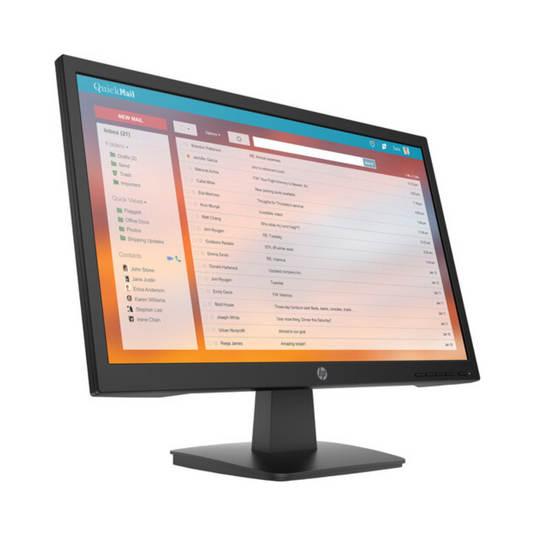
All-in-One desktops combine the computer and monitor into a single unit. These systems create a clean, professional appearance with minimal cable clutter.
All-in-One systems are commonly found in:
- Reception areas
- Medical offices
- Retail counters
- Libraries
- Home offices
Benefits include:
- Space-saving design
- Simple setup
- Minimal wiring
- Modern appearance
However, AIO systems generally offer limited upgrade options compared to traditional refurbished computer towers.
For users prioritizing aesthetics and convenience over hardware expansion, refurbished desktop computers in All-in-One form factors can provide excellent value.
Choosing the Right Desktop Form Factor
When shopping for a refurbished desktop, it’s important to consider more than just specifications. The form factor should align with how the computer will actually be used.
Consider Your Workspace
Small offices and shared workspaces often benefit from SFF or MDT Form Factors because they reduce clutter and maximize desk space.
Larger offices or technical departments may prefer tower systems for their upgrade flexibility and performance potential.
Think About Performance Needs
Users who primarily handle everyday tasks such as spreadsheets, email, video conferencing, and web browsing can usually operate efficiently on Small Form Factor (SFF) or Micro Desktops. These machines provide more than enough power for typical office and productivity work without taking up much space.
Users working with more demanding applications, on the other hand, will typically benefit from Tower Form Factors. Graphic design, video editing, engineering software, and large databases all place heavier demands on processing power, memory, and cooling, and the larger form factors offer the expandability and thermal headroom needed to support that kind of workload.
Plan for Future Upgrades
One major advantage of refurbished desktop computers is long-term value. Tower systems often allow you to:
- Add more RAM
- Upgrade storage
- Install better graphics cards
- Extend system lifespan
If future expansion matters, tower desktops (TWR) are usually the smarter investment.
Evaluate Port Availability
Different form factors provide different connectivity options. Larger systems generally include more USB ports, multiple display outputs, expansion slots, and Ethernet connections, giving you greater flexibility to connect monitors, peripherals, and other hardware. Compact systems may offer fewer ports, so it's important to confirm compatibility with your monitors, peripherals, and accessories before committing to a smaller machine.
Benefits of Buying Refurbished Desktop Computers
Many buyers assume new computers are always the best option, but refurbished computers often provide better overall value, especially for businesses and educational organizations.
Significant Cost Savings
One of the biggest advantages of buying a refurbished desktop pc is price.
Refurbished systems can cost substantially less than new models while still delivering strong business performance. This allows organizations to:
- Stretch IT budgets further
- Upgrade more employees
- Replace aging hardware affordably
- Access higher-end configurations at lower prices
Instead of paying premium pricing for brand-new hardware, buyers can often purchase enterprise-grade Dell refurbished desktops or Lenovo refurbished desktops at a fraction of the cost.
Reliable Business-Class Hardware
Many refurbished desktop computers originally came from corporate environments where they were designed for durability and long-term use. This makes them ideal for organizations seeking dependable performance without overspending.
Environmental Benefits
Purchasing refurbished computers also helps reduce electronic waste. Extending the life of existing hardware reduces landfill waste, conserves manufacturing resources, lowers environmental impact, and supports sustainable technology practices. For businesses focused on sustainability goals, refurbished technology can be a practical and responsible solution.
Tested and Professionally Restored
Unlike typical used computers sold privately, professionally refurbished desktop computers are tested, cleaned, and restored before resale. At System Liquidation, systems are carefully evaluated to ensure functionality and reliability before reaching customers. This process helps buyers feel more confident when purchasing refurbished equipment for business or personal use.
Popular Refurbished Desktop Brands
Dell, HP, and Lenovo are among the most popular brands in the refurbished desktop market, each with a strong reputation for reliability and business performance. Dell refurbished desktops are known for their widespread compatibility and the easy availability of replacement parts and upgrades, which makes them a frequent choice for businesses. Popular Dell product lines include the OptiPlex, Precision, and Vostro series. HP refurbished desktops, meanwhile, are widely used in education, healthcare, and corporate environments thanks to their dependable performance and compact, business-friendly designs, with popular lines including the EliteDesk, ProDesk, and Z Workstations.
Lenovo refurbished desktops round out the group and are recognized for their durability, efficient design, and strong office productivity performance, with the ThinkCentre line being a particularly popular option. Across all three brands, the wide availability of refurbished models and replacement parts makes it easy to find a dependable system that fits both your performance needs and your budget.
Choosing the Right Desktop Form Factor for Your Needs
Understanding desktop form factors is one of the most important steps when purchasing a computer for work, school, or business use. The right system depends on your workspace, workload requirements, upgrade plans, and budget.
Whether you need compact systems for an office rollout or powerful refurbished computer towers for demanding workloads, there are refurbished desktop computers available to match nearly every need.
Choosing refurbished technology also allows buyers to maximize value without sacrificing reliability. With options ranging from micros and AIOs to SFF and full tower workstations, refurbished computers continue to provide a practical solution for organizations and individuals looking to upgrade affordably.
At System Liquidation, we offer a wide selection of refurbished desktop pc systems from trusted brands like Dell, HP, and Lenovo, helping businesses, schools, and everyday users find dependable technology at a better value.
Shop The Best Refurbished Computers Money Can Buy